Exception Handling
Programs throw errors when the Python interpreter encounters a statement that is illegal and cannot be executed. These can occur due to programmer error, user input errors, or system faults. Such a condition is called throwing an exception.
For example, if you try to import a package named cheesecake that does not exist, you will receive a ModuleNotFoundError. Similarly, as you learned in the String Operations chapter, trying to access an index out of bounds results in an IndexError.
Why Handle Exceptions?
Exceptions should be handled gracefully the instant they occur. If they aren't, your program will crash. Imagine a program processing massive amounts of data; if a single error occurs halfway through, a crash would mean losing all the work completed up to that point. This is highly inefficient.
Instead of crashing, it is better to "catch" the error, log the issue, and continue processing the remaining data. You can then address the specific error cases after the main task is finished. We use Exception Handling with the try and except keywords to achieve this.
The try and except Blocks
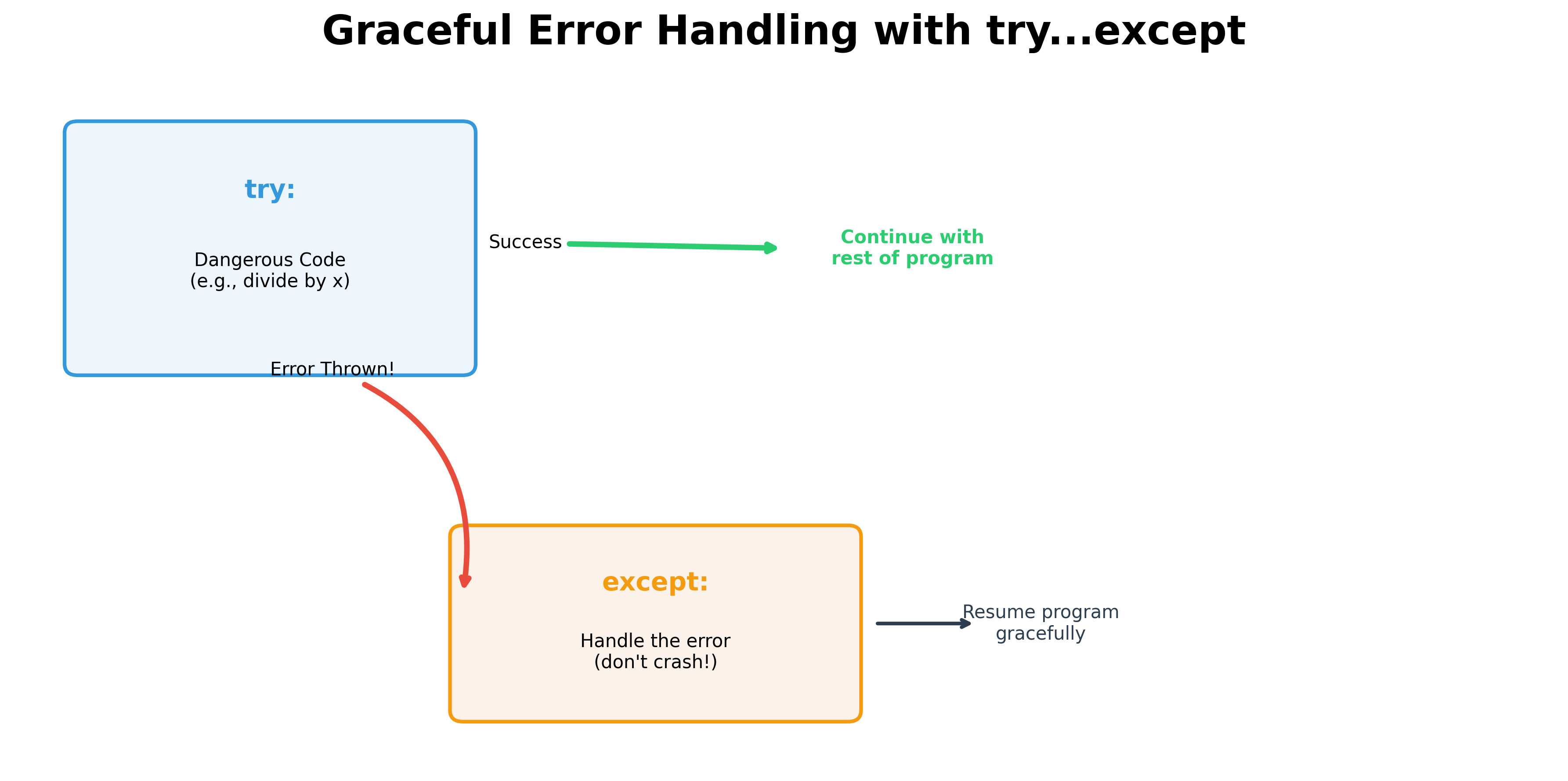
You place the code that might fail inside a try block. If an error occurs, the execution flow immediately jumps to the except block, which handles the error meaningfully.
A Simple Example: Division by Zero
One of the most common errors is dividing a number by zero. Without handling, this crashes the program:
try:
    result = 10 / 0
except ZeroDivisionError:
    print("Error: You cannot divide by zero!")

print("The program continues...")
Another Example: Missing Modules
In the code below, we handle a potentially missing import:
try:
    import cheesecake
except ImportError:
    print("Error: The 'cheesecake' module does not exist.")

print("The execution continues after the exception is handled.")
Note: It is not always best to ignore every exception. If your program requires the cheesecake module to function, letting it crash might be the correct choice. However, if you are processing a million user records and one record is invalid, you should catch that specific error and move on to the next record.
The finally Block
An optional finally block can be added. This block executes no matter what—whether an exception was thrown or not.
Typically, finally blocks are used to "clean up" or release resources, such as closing files or database connections. This ensures that even if a program crashes midway through a task, the resources are closed properly.
(Note: File and database operations will be covered in detail in the next eBook, where we will primarily use the pandas module.)
Practical Example: Interest Rate Calculator
Below is a program that handles invalid user inputs elegantly. It informs the user what went wrong and asks them to try again instead of crashing.
print(
    "This program calculates the annual interest rate for your deposit.\n"
    "Please input your deposit amount and the total interest earned per year.\n"
)
print("To quit, type 'quit' in lowercase.\n")

# Infinite loop until the user types 'quit'
while True:
    try:
        user_input1 = input("Enter Deposit Amount: ")

        if user_input1.lower() == "quit":
            print("Goodbye! Hope you had fun calculating your interest rates.")
            break

        deposit_amount = float(user_input1)

        user_input2 = input("Enter Total Interest Earned: ")
        interest_earned = float(user_input2)

        # Calculation
        interest_rate = (interest_earned / deposit_amount) * 100
        print(f"Rate of interest: {round(interest_rate, 2)}%")

    except ValueError:
        print("Invalid Input: Please enter a valid number.")
        continue
    except ZeroDivisionError:
        print("Error: Deposit amount cannot be zero.")
        continue
    finally:
        print("--- Transaction step completed ---")
Understanding the Details
In the example above:
ValueError: Caught when the user enters text instead of a number.ZeroDivisionError: Caught when the user enters a deposit of0.finally: Prints a confirmation message after every attempt, successful or not.
The raise Statement
Sometimes, you might want to catch an error just to log it, but still want the program to stop. You can use the raise keyword to re-throw the exception:
try:
    # Some risky code
    x = 1 / 0
except ZeroDivisionError:
    print("Logging the error before crashing...")
    raise  # Rethrows the ZeroDivisionError and crashes the program
By explicitly mentioning error names (like ValueError) in your except blocks, you make your code clearer and more robust.
Hands-on Exercises
Exercise 1: Safe Division Utility
Write a Python function safe_divide(a, b) that:
- Tries to perform the division
a / b. - Catches
ZeroDivisionErrorand returnsNonewith a warning print:"Cannot divide by zero!". - Test your function by calling
safe_divide(10, 2)andsafe_divide(10, 0).
# Write your code below and click Run CodeClick to view Answer
def safe_divide(a, b):
    try:
        return a / b
    except ZeroDivisionError:
        print("Cannot divide by zero!")
        return None

# Test runs
print(safe_divide(10, 2)) # 5.0
print(safe_divide(10, 0)) # None
Exercise 2: Catching Missing Files
In data pipelines, trying to read a missing file will crash your script. Let's handle it safely. Write a Python program to:
- Attempt to open a non-existent file:
open("non_existent_data.csv", "r"). - Wrap it inside a
tryblock. - Catch
FileNotFoundErrorand print"Warning: Target file was not found. Skipping file read.". - Add a
finallyblock that prints"File access check complete.".
# Write your code below and click Run CodeClick to view Answer
try:
    # Attempting to read a missing file
    with open("non_existent_data.csv", "r") as file:
        content = file.read()
except FileNotFoundError:
    print("Warning: Target file was not found. Skipping file read.")
finally:
    print("File access check complete.")