Date and Time Functions
The datetime, time, and calendar modules provide functions and classes for manipulating dates and times. However, for general-purpose parsing, formatting, and arithmetic, the datetime module is most commonly used.
In this lesson, you will learn how to use the datetime module and the time() function from the time module. We typically use date and datetime objects for most date manipulations.
- A
dateobject represents a date (year, month, and day) in the Gregorian calendar. - A
datetimeobject represents both the date and the time.
import datetime

today = datetime.date.today()
now = datetime.datetime.now()

print(today)
print(now)
Output:
The current date in
YYYY-MM-DDformat and the current time inYYYY-MM-DD HH:MM:SSformat.
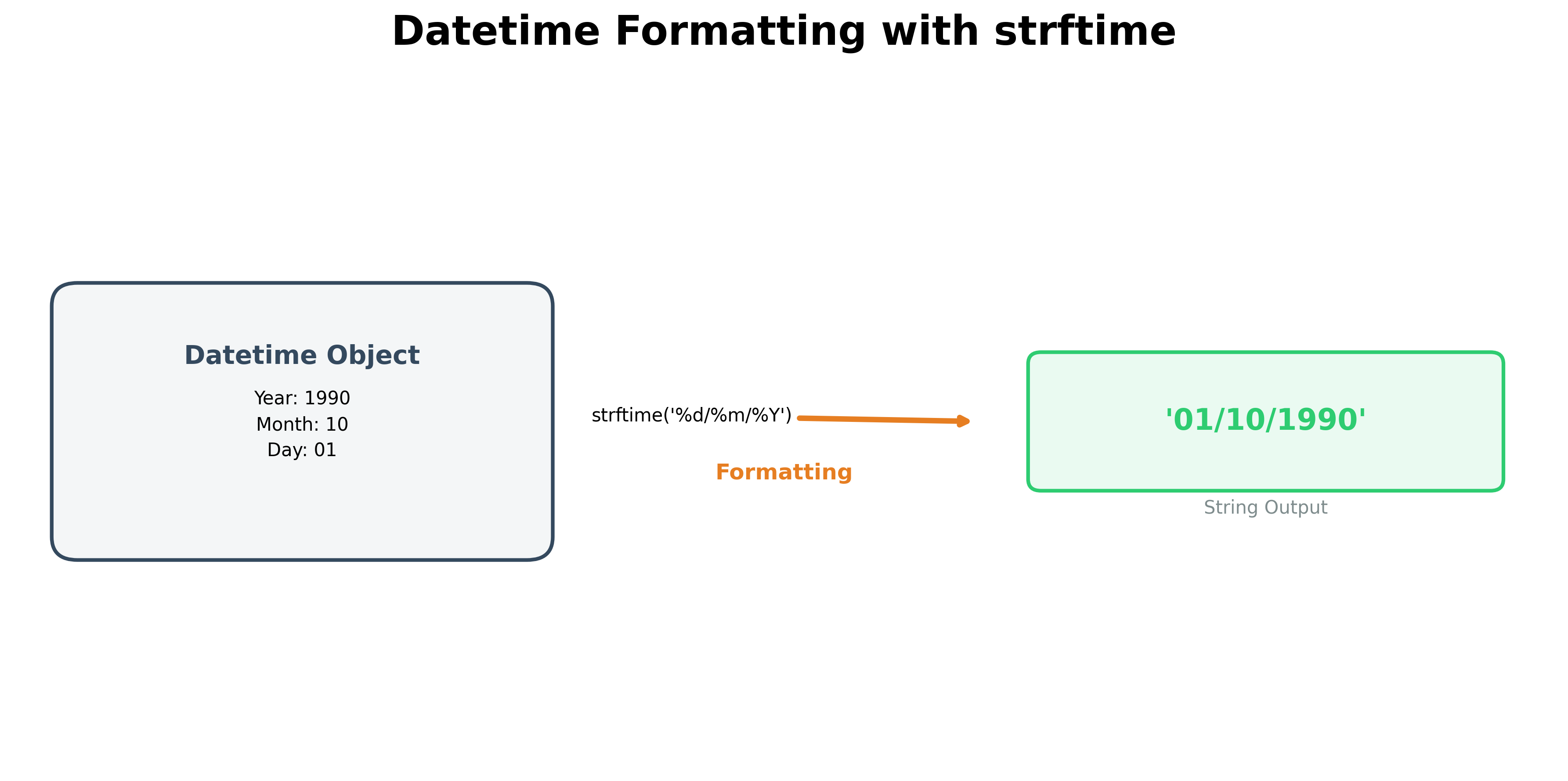
The program above prints the date and time at the moment it is run. You can format this display using the strftime function. Alternatively, you can import specific classes directly to simplify your code:
from datetime import datetime, date

today = date.today()
now = datetime.now()

print(f"{today:%m/%d/%Y}")
print(f"{now:%m/%d/%Y %H:%M}")
print(f"{now:%B %d, %y}")
Note: The examples above use f-strings, which are the preferred notation for formatting in modern Python.
Common Formatting Codes
| Code | Description | Example |
|---|---|---|
%y |
2-digit year | 99 |
%Y |
4-digit year | 1999 |
%H |
Hour (24-hour format) | 13 |
%I |
Hour (12-hour format) | 02 |
%B |
Full month name | March |
%b |
Abbreviated month name | Mar |
%A |
Full weekday name | Friday |
%a |
Abbreviated weekday name | Fri |
Creating Date Objects
Python provides several ways to create date and datetime objects.
What is a Constructor?
In Object-Oriented Programming, a constructor is a special type of function that returns a new object of a specific type. For example, the date() constructor creates a date object.
Creating Datetime Objects
datetime objects can be either naive or aware.
- Naive objects do not contain timezone information.
- Aware objects include a
tzinfoattribute to track timezones.
Naive Syntax:
datetime(year, month, day [, hour, minute, second, microsecond])Aware Syntax:
datetime(year, month, day, ..., tzinfo)
To create a datetime object for October 1, 1990:
from datetime import datetime

log_entry = datetime(1990, 10, 1, 12, 10, 3)
print(log_entry)
Parsing Strings to Datetime
The strptime() method is used to parse a string into a datetime object using a specified format.
from datetime import datetime

# Different ways to parse the same date/time
d1 = datetime.strptime("01/10/1990 12:10:03", "%d/%m/%Y %H:%M:%S")
d2 = datetime.strptime("01-10-1990 12-10-03", "%d-%m-%Y %H-%M-%S")

print(d1)
Accessing Attributes
You can access individual parts of a date or time object using attributes:
from datetime import datetime

log_entry = datetime(1990, 10, 1, 12, 10, 3)

print(log_entry.year)  # 1990
print(log_entry.month)  # 10
print(log_entry.day)  # 1
print(log_entry.hour)  # 12
Time Delta
A timedelta object represents the difference between two dates or times.
from datetime import datetime

# Calculate the difference between two dates
delta = datetime(2024, 3, 31) - datetime(2024, 3, 1, 8, 15)

print(f"Days: {delta.days}")
print(f"Seconds: {delta.seconds}")
You can add or subtract timedelta objects from any date or datetime to shift the time.
The time Module
While the datetime module is used for specific calendar dates, the standalone time module is often used for measuring duration or "clocking" an event using Unix timestamps (the number of seconds since January 1, 1970).
import time
from datetime import time as dt_time

# Measure execution time
start_time = time.time()

# Construct a specific time object
noon = dt_time(12, 0, 0)

end_time = time.time()
print(f"Execution time: {end_time - start_time} seconds")For more details, refer to the Python datetime Documentation.
Hands-on Exercises
Exercise 1: Time Span Auditing (timedelta)
In subscription models, we calculate the active duration of customers.
- Signup timestamp:
2026-01-15 08:30:00 - Churn timestamp:
2026-04-10 17:45:30
Write a Python program to:
- Construct two
datetimeobjects matching these timestamps. - Subtract the signup timestamp from the churn timestamp to create a
timedeltaobject. - Print the number of days the subscriber was active.
# Write your code below and click Run CodeClick to view Answer
from datetime import datetime

signup = datetime(2026, 1, 15, 8, 30, 0)
churn = datetime(2026, 4, 10, 17, 45, 30)

# Calculate difference
duration = churn - signup

print("Active Days:", duration.days) # 85
Exercise 2: Parsing Messy Logs
Database reports print times as custom text strings. Let's parse and print them cleanly.
- Raw timestamp text:
"15-Jan-2026 14:30:15"
Write a Python program to:
- Parse the string into a
datetimeobject usingdatetime.strptime(). (Hint: Use%d-%b-%Y %H:%M:%Sto match the abbreviated month name). - Format the parsed datetime object into a readable string:
"Thursday, January 15, 2026"using.strftime("%A, %B %d, %Y"). - Print the formatted result.
# Write your code below and click Run CodeClick to view Answer
from datetime import datetime

raw_time = "15-Jan-2026 14:30:15"

# Parse string to datetime
parsed_time = datetime.strptime(raw_time, "%d-%b-%Y %H:%M:%S")

# Format to readable text
clean_time = parsed_time.strftime("%A, %B %d, %Y")

print(clean_time)
# Output: Thursday, January 15, 2026