Zip
There are a few techniques that you may employ occasionally while manipulating your collections. Zip is one of them.
Zip is used to transform multiple collections into a single collection of tuples of respective elements.
list1 = ["a", "b", "c"]
list2 = [1, 2, 3, 4]
zipped = zip(list1, list2)
print(type(zipped))

for i in zipped:
    print(i)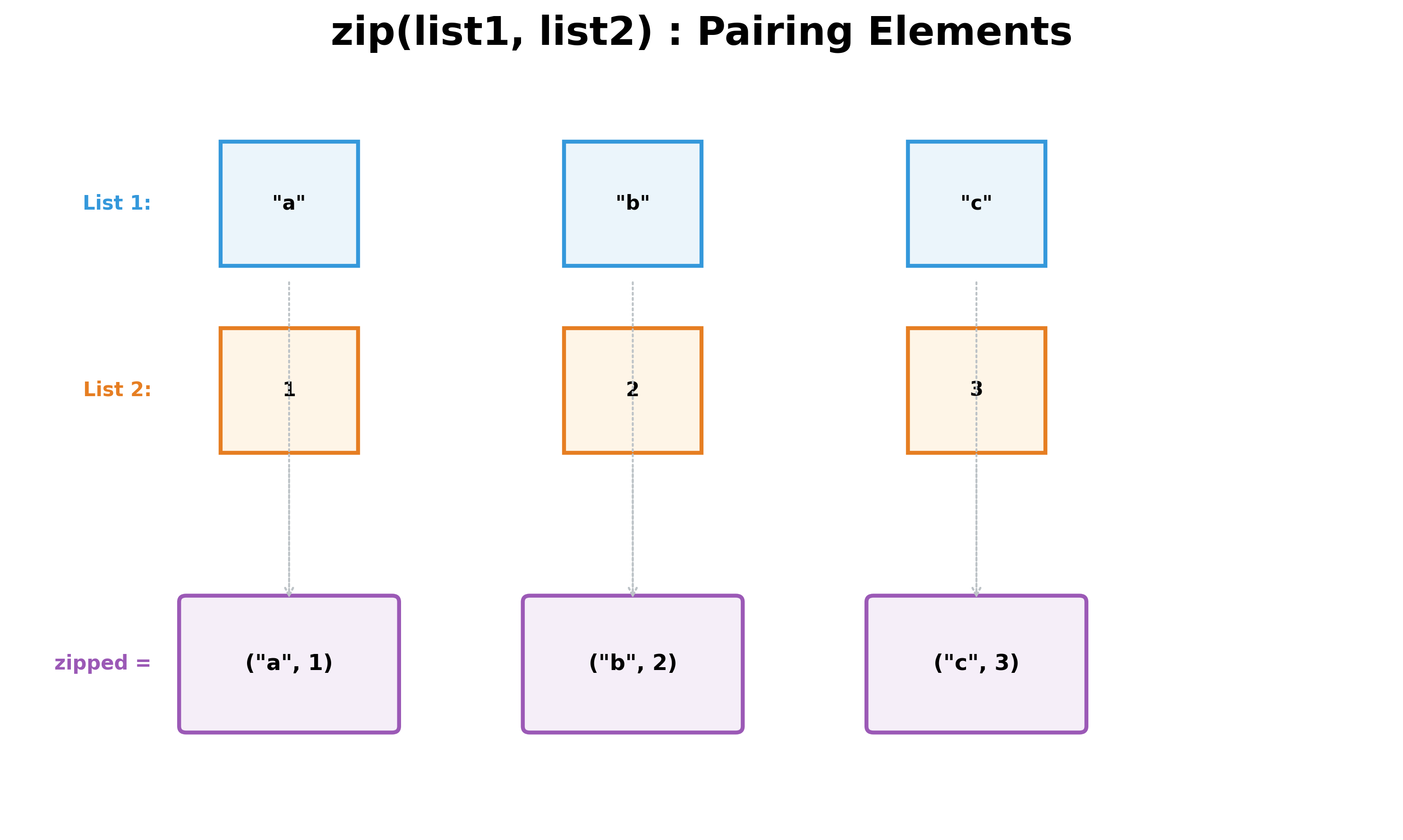
output:
< class 'zip' >
0 ('a', 1)
1 ('b', 2)
2 ('c', 3)
In the above example, you convert two lists of different data types into a zip object containing tuples with elements from each list in the order in which they were provided. If the lengths of the two lists are different, then the zip stops at the length of the shortest list.
A zip object can be enumerated as shown above or you can convert it into a list by using the list() function. However, once enumerated or converted to a list, the zip object will be empty and cannot be reused. See the example below:
list1 = ["a", "b", "c"]
list2 = [1, 2, 3, 4]
zipped = zip(list1, list2)
tuple_list = list(zipped)

for i in tuple_list:
    print(i)  # This will print the tuples.

for i, j in enumerate(zipped):
    print(i, j)  # This will not be invoked as zipped is empty
Zip can be used on any collection: set, tuple, list, etc. One point to note with sets: since a set does not maintain order, you will not be certain which elements form the resulting tuples.
Hands-on Exercises
Exercise 1: Mapping Students to Marks
You have two lists containing matching student details:
- Student Names:
students = ["Alice", "Bob", "Charlie"] - Final Grades:
grades = [92, 85, 88]
Write a Python program to:
- Zip the two lists together using
zip(). - Convert the resulting zip object into a standard list of tuples.
- Print the final list of tuples.
# Write your code below and click Run CodeClick to view Answer
students = ["Alice", "Bob", "Charlie"]
grades = [92, 85, 88]

# Zip and convert to list
student_records = list(zip(students, grades))

print(student_records)
# Output: [('Alice', 92), ('Bob', 85), ('Charlie', 88)]
Exercise 2: Iterating Paired Inventory
You have two lists representing store inventory:
- Products:
products = ["Laptop", "Mouse", "Keyboard"] - Stock quantities:
stock = [15, 120, 45]
Write a Python program to:
- Zip the lists together.
- Iterate through the zipped object using a
forloop, unpacking the product name and stock quantity in each iteration. - For each pair, print a statement like
"Laptop has 15 units in stock".
# Write your code below and click Run CodeClick to view Answer
products = ["Laptop", "Mouse", "Keyboard"]
stock = [15, 120, 45]

# Iterate and unpack zip directly in the loop
for product, quantity in zip(products, stock):
    print(f"{product} has {quantity} units in stock")