Ordered Collections - Sequence
Python provides three data structures for an ordered collection, also called a sequence: Lists, Tuples, and Ranges.
In this lesson, we will learn all three.
Lists
A list is used to represent a collection of objects that is kept in order. Here is an example of a collection of numbers called scores:
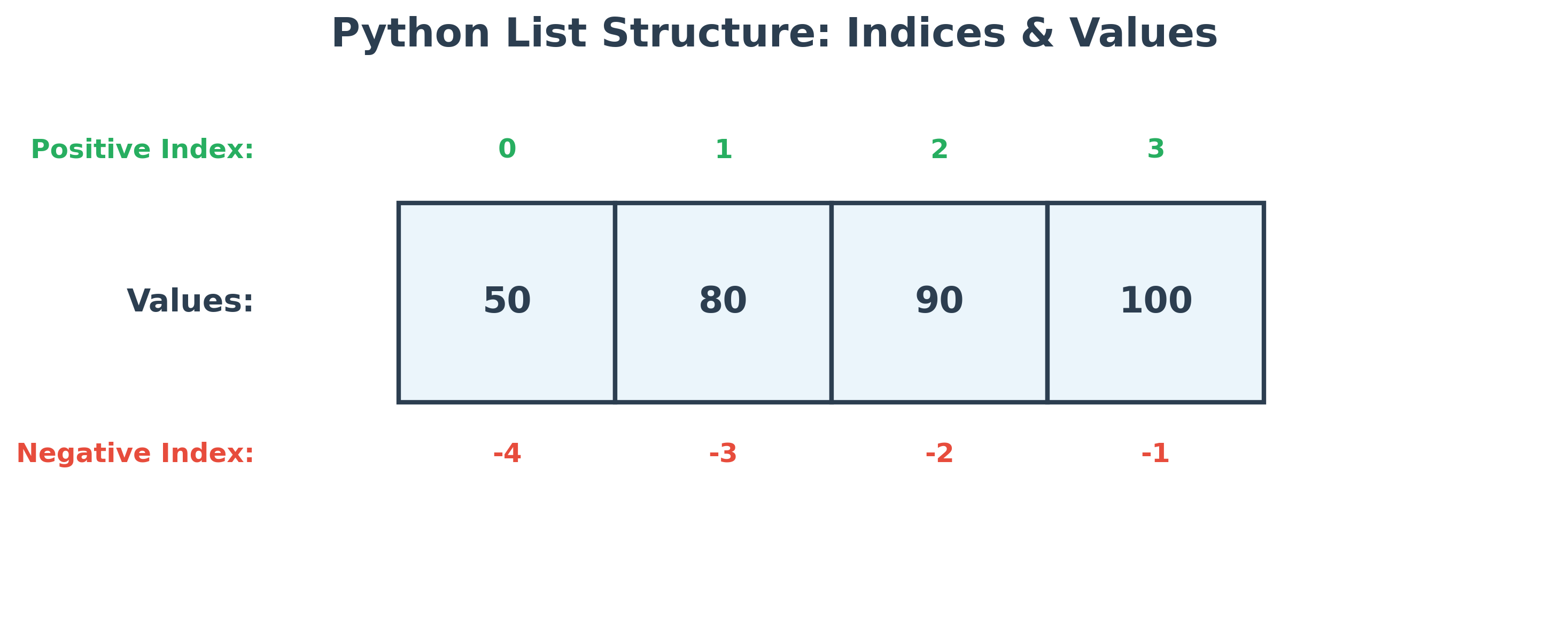
Notice the square bracket used to represent the collection. A list can also be created by using the list function and passing in any iterable object. In this case, the above statement would be:
mylist = [50, 80, 90, 100]
scores = list(mylist)
Although note that you may not see a specific advantage in using the list function in this example, as you are passing in a list object to the list function, but remember the list function can be applied to any iterable object from a sequence or collection like tuples, dictionaries, set, etc., which you will learn next.
Here are some of the commonly used operations on lists:
| Operation | Example | Output | Comments |
|---|---|---|---|
| Positive positional index | scores[0] |
50 |
The first position in the list has a value of 50. |
| Negative positional index | scores[-1] |
100 |
The first position from the end. Similarly, -2 will get the second element from the last, and so on. |
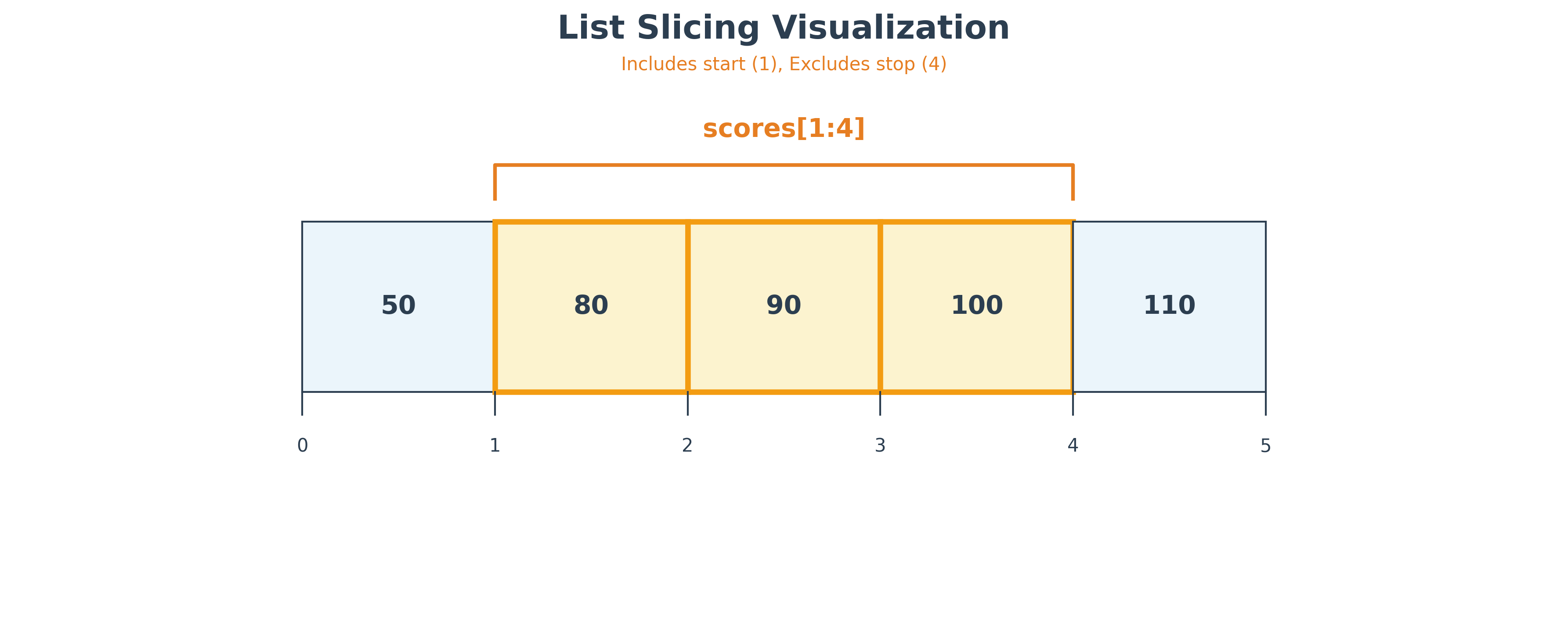
| Slicing | scores[0:2] |
[50, 80] |
A new list with numbers from position 0 (included) to 2 (excluded). |
| Slicing with start position default | scores[:2] |
[50, 80] |
A new list with numbers from the 0 index and the 2nd position (excluded). |
| Slicing with end position default | scores[2:] |
[90, 100] |
A new list with numbers from position 2 to the end of the list. |
| Slicing with negative index | scores[-2:] |
[90, 100] |
A new list with numbers from position -2 to the end of the list. |
| Built-in function len | len(scores) |
4 |
len can be applied to lists to obtain the size of the list. |
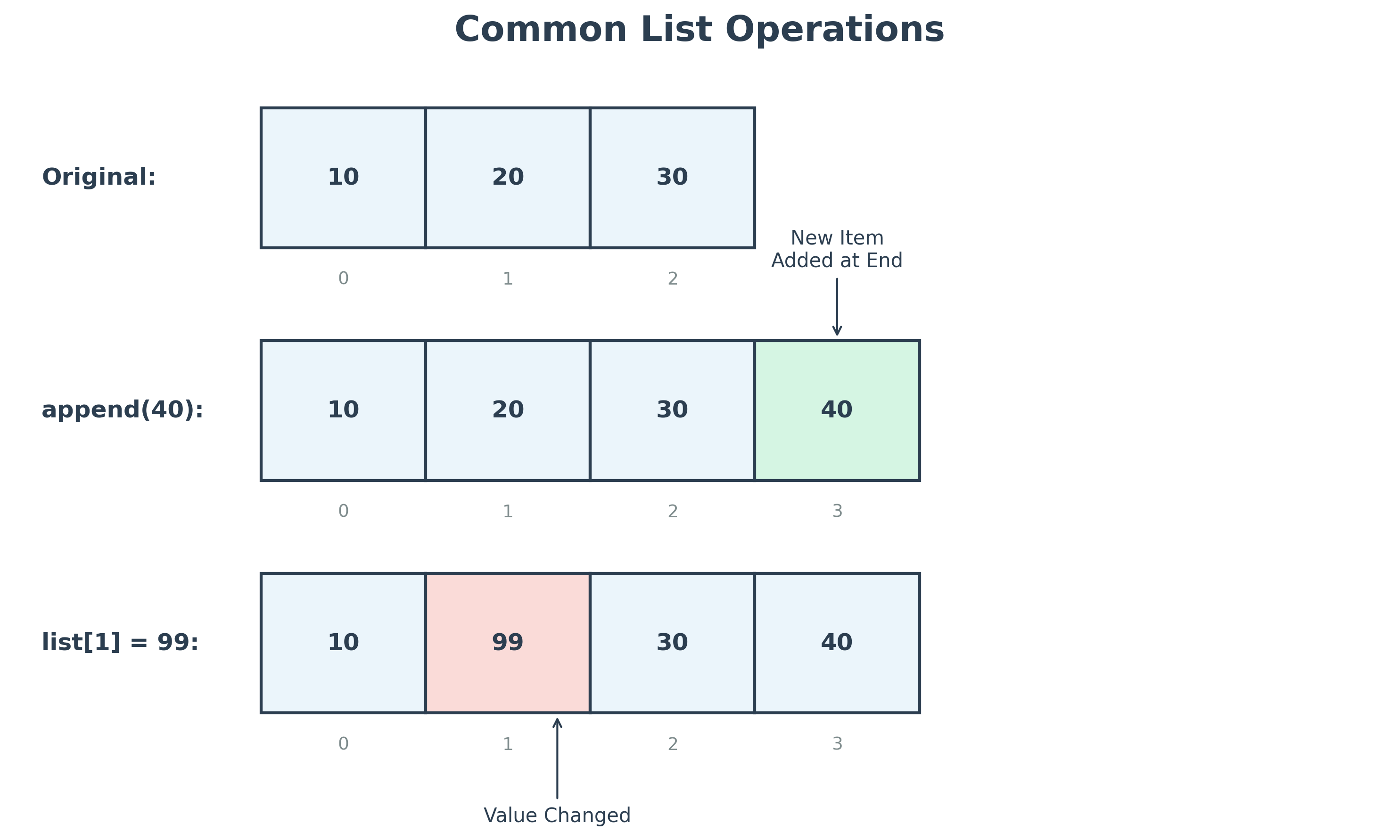
| Modify an element | scores[0] = 60 print(scores) |
[60, 80, 90, 100] |
Lists can be modified, unlike strings. |
| Add a new element | scores.append(90) print(scores) |
[60, 80, 90, 100, 90] |
Adds a new element at the end of the list. |
| Use slice to replace more than one element | scores[2:4] = [89, 99] print(scores) |
[60, 80, 89, 99, 90] |
The numbers in the 2nd and 3rd positions are replaced. |
| Use slice to remove all elements | scores[:] = [ ] print(scores) |
[] |
Removes all elements of the list! |
| Use slice with a step value | scores[:4:2] |
[60, 89] |
The step value '2' gets elements in increments of the step value. |
| Reverse using -1 as a step | scores[::-1] |
[90, 99, 89, 80, 60] |
Using -1 as a step value returns a new list with the elements reversed. |
| Reverse using the reverse method | scores.reverse() |
[90, 99, 89, 80, 60] |
Reverses the elements in the existing list. |
| List of lists | scores = [50, 60] names = ['joe', 'john'] term = [scores, names] print(term) |
[[50, 60], ['joe', 'john']] |
term is a list of lists. |
| Sort a list in place | scores = [60, 30, 80] scores.sort() print(scores) |
[30, 60, 80] |
scores is sorted in place using the default sort algorithm - sort from smallest to largest. You can change the default by passing in optional 'reverse = True' attributes to the sort function. |
| Get a new sorted list | scores = [60, 30, 80] result = sorted(scores) print(result) |
[30, 60, 80] |
Same as sort, except you get a new sorted list instead of the existing list being sorted. |
| Concatenate lists | scores = [10] + [2, 3] + [11, 15] print(scores) |
[10, 2, 3, 11, 15] |
Multiple lists are added together. |
A few other useful methods: There are a few other interesting methods on lists. Replace 'list' below with the name of your list.
- list.count(x) - Returns the number of times number x appears in the list.
- list.index(x[, start[, end]]) - Returns the index value of the first item whose value is x. Raises a ValueError if there is no such item. Optional start and end are used to limit the search, similar to a slice.
- list.insert(index, element) - To insert the specified element at the specified index.
- list.remove(element) - To remove the given element from the list.
- list.pop([index]) - Removes the last element if no index is specified; otherwise, it gets the specified index element and removes it from the list.
- list1.extend([list2]) - Adds all elements of list2 into list1.
Although a few methods are described above, there are many more methods you can use, and the best way to figure out the available methods is to use the code completion prompts that show up when you use the dot operator on any object in most of the IDEs, including Colab. By clicking on the Read more icon on the prompt, you can also view the full documentation of that function.
Here is what you see in Colab:

However, our eBook editor does not help you with code completion prompts.
Built-in Functions
You can apply several built-in functions to the list structures. In the first lesson, you calculated the mean of 3 individual numbers. If you create a list object of the same three numbers, then you can use the sum function on the list to calculate the sum of all the list numbers and use the len function to calculate the total number of elements in the list. Then, the mean of all the numbers in the list can be obtained as shown below:
my_numbers = [15, 35, 55]
mean = sum(my_numbers) / len(my_numbers)
print(mean)
You can also apply the sorted built-in function to any list. This will return a sorted list, and the original list is untouched. This is different from the sort function, which can be applied to a list, which sorts the list in place. The default sort order is small to large. You can change this default sort order by passing in the 'key' and 'reverse' attributes to the sorted function. More on this: https://docs.python.org/3/howto/sorting.html
Official Reference
The complete list of built-in functions can be found at: https://docs.python.org/3/library/functions.html
Heterogeneous List
You can also construct a list with each element being of a different data type. Here is an example:
a = ["John", 30, True]In this list, the first element is a string and the second an integer and the third is a boolean. Collection of items is a mix of String, number and boolean, and so the term heterogeneous.
Hands-on Exercises
Exercise 1: Slicing Revenue History
Given a list of weekday sales records:
sales = [100, 150, 80, 250, 300, 120, 180]
Write a Python program to:
- Extract and print the first 3 days of sales using a slice.
- Extract and print the last 2 days of sales using negative index slicing.
- Print a new list that reverses the order of the sales list.
# Write your code below and click Run CodeClick to view Answer
sales = [100, 150, 80, 250, 300, 120, 180]

# First 3 days
print("First 3 days:", sales[:3]) # [100, 150, 80]

# Last 2 days
print("Last 2 days:", sales[-2:]) # [120, 180]

# Reversing
print("Reversed sales:", sales[::-1]) # [180, 120, 300, 250, 80, 150, 100]
Exercise 2: List Mutation Audit
Using the same sales = [100, 150, 80, 250, 300, 120, 180] list:
Write a Python program to:
- Append the new sales record
400to the end of the list. - Sort the entire list in place (from lowest to highest).
- Calculate the running mean (average) of the sorted list using
sum()andlen(). - Print the sorted list and the calculated average.
# Write your code below and click Run CodeClick to view Answer
sales = [100, 150, 80, 250, 300, 120, 180]

# 1. Append
sales.append(400)

# 2. Sort in place
sales.sort()

# 3. Calculate average
average = sum(sales) / len(sales)

print("Sorted sales:", sales)
# Output: [80, 100, 120, 150, 180, 250, 300, 400]
print("Average sales:", average)
# Output: 197.5