Broadcasting in NumPy Arrays
Ease of array arithmetic and manipulation is one of the primary reasons to use NumPy.
Any two arrays of the same shape can be added by applying the rules of matrix addition.
Here is an example of adding two arrays with the same 1x3 shape:
import numpy as np

a = np.array([3, 4, 5])
b = np.array([1, 2, 3])
print(a + b)
Output:
[4 6 8]
The above operation is straightforward for any student who has been exposed to matrix addition.
However, if the two matrices are of different shapes, then standard matrix operations cannot be applied.
This is where NumPy broadcasting comes to our rescue! The term broadcasting describes how NumPy performs arithmetic operations
on arrays with different shapes. By using broadcasting, you can completely eliminate the typical for loops that you would otherwise use
to get the same output.
Refer: https://numpy.org/doc/stable/user/basics.broadcasting.html
Using broadcasting, any array can participate in an arithmetic operation with a single number (scalar) or a vector. However, there are certain rules for the permissible size of the vector. Here are some examples:
Add a scalar to all the elements of an array
Scalar multiplication/division is a well-known concept in mathematics where a given number is multiplied by or divided into all elements of a vector (i.e., an array or matrix). However, there is no such straightforward concept for scalar addition and subtraction on all elements of an array. The NumPy library provides a convenient way of applying not only scalar multiplication but also other mathematical operations like addition and subtraction.
In the example below, you add the number 100 to all elements of the array.
import numpy as np

a = np.array([1, 2, 3])
a += 100  # Adds 100 to every element of a
print(a)
Output:
[101 102 103]
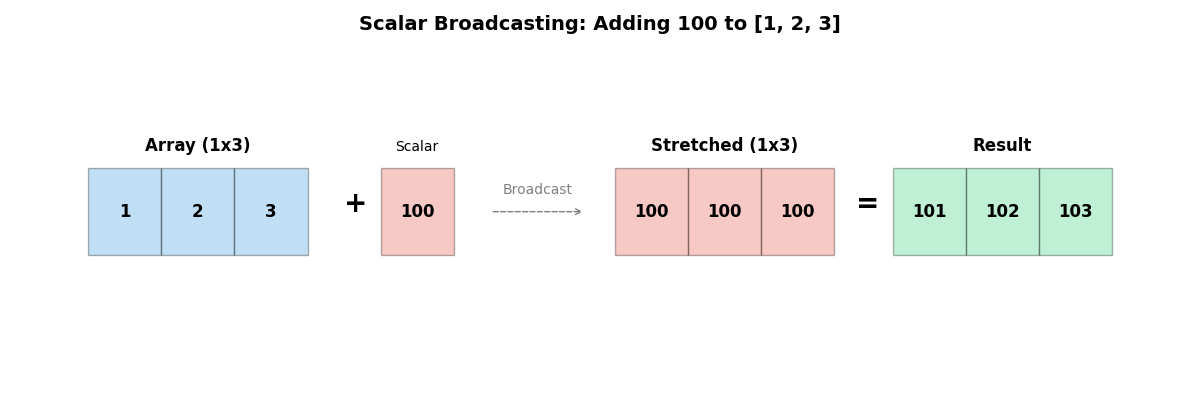
Conceptually, from a matrix addition standpoint, it appears as though if a 1xn matrix is used to add the number 100, then another 1xn matrix is created with 100 as all its elements, and then added to the original 1xn matrix. In reality, NumPy uses efficient algorithms to achieve this effect and does not actually create another matrix, but the end result of the NumPy algorithm matches such a matrix addition. The addition operation in the example above can be replaced with any other arithmetic operator (multiplication, division, and subtraction), and they all work by applying the operator to every element of the array and the scalar.
Add a vector
If you want to add a vector (a 1D array of numbers) to a 2D array b, the vector's size must match the number of columns in array b; otherwise, an exception is thrown. Here is an example:
import numpy as np

b = np.array([[4, 5, 6], [7, 8, 9]])
# Adds 100 to the 1st column of all rows. 200 to 2nd column and 300 to the 3rd column
b += [100, 200, 300]
print(b)
Output: [[104 205 306] [107 208 309]]
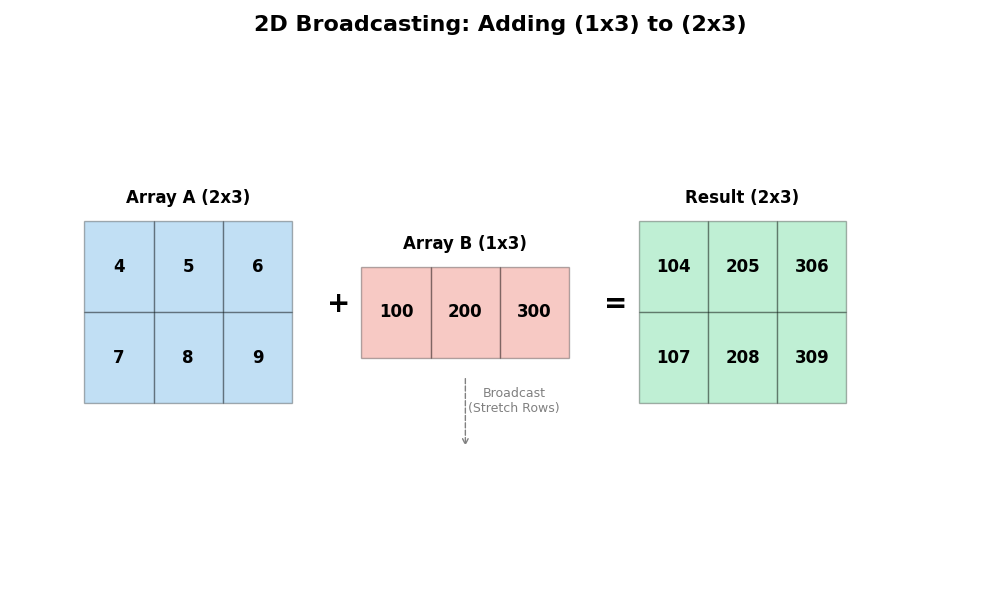
Note that array b of shape 2x3 is added to a vector of size 3.
This is a requirement for broadcasting to work.
Broadcasting rules
When operating on two arrays, NumPy compares their shapes element-wise. Two dimensions are compatible for broadcasting when:
- They are equal, or
- one of them is 1
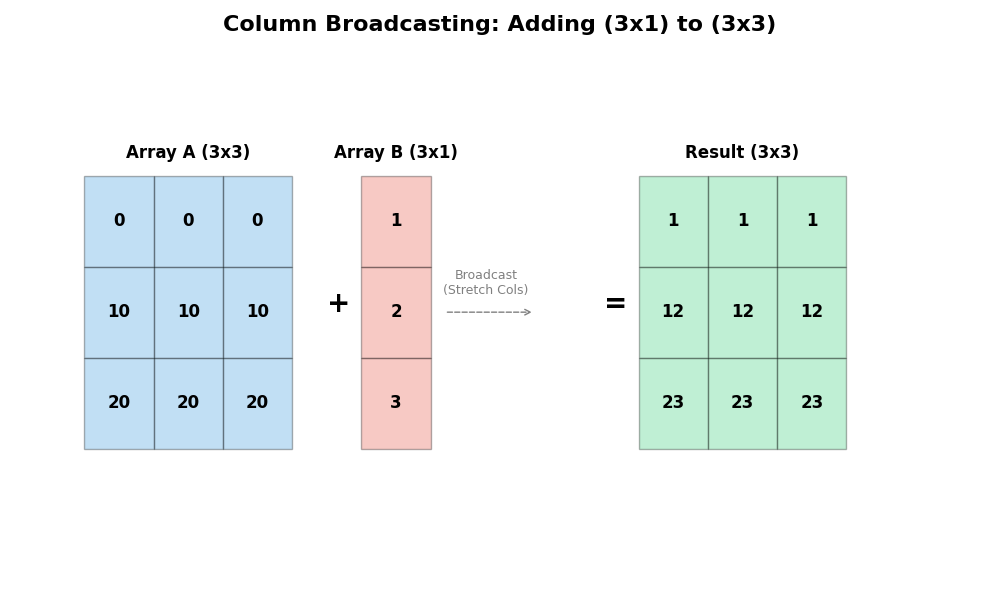
If these conditions are not met, a ValueError: frames are not aligned exception is thrown. The size of the resulting array is the maximum size along each dimension of the input arrays.
Note that you can always add additional axes, with 1 being the default shape value for the new axis. A 1D vector can be made 2D, 3D, etc., by simply adding 1 for the new axis size. Here are some examples:
import numpy as np

x = np.array([2, 4, 5])
print("original", x.shape)

x.shape = (1, 3)
print("shape=1,3", x)
x.shape = (3, 1)
print("shape=3,1", x)
x.shape = (1, 1, 3)
print("shape=1,1,3", x)
Output:
original (3,)
shape=1,3 [[2 4 5]]
shape=3,1 [[2]
 [4]
 [5]]
shape=1,1,3 [[[2 4 5]]]
All of the above create a multidimensional array without any issues. When you are trying to broadcast with arrays of different sizes, this strategy of adding additional axes to make one of them 1 might help you solve it.
Here are some more examples of broadcasting:
a = np.array([1, 2, 3])
b = np.array([4, 5, 6])
print(a + b)  # New array which is the sum of a + b - added element wise
print(a * 3)  # New array with each element of 'a' multiplied by 3
print(a**3)  # New array with each element of 'a' raised to the power of 3
print(a)  # 'a' is not changed by any of the operations
Output:
[5 7 9] [3 6 9] [ 1 8 27] [1 2 3]
You can use a boolean array to filter elements:
np.array([1, 2, 3]) * [True, False, True]Output:
array([1, 0, 3])
- You can find more examples here: https://docs.scipy.org/doc/numpy/user/basics.broadcasting.html
Pure Matrix Operations
If you are not looking for broadcasting and instead want pure matrix operations, you can create a matrix using np.matrix. Here is an example:
a = np.matrix(np.reshape(np.arange(0, 12), (3, 4)))
b = np.ones((4, 1))
a * b
Output>
matrix([[ 6.],
        [22.],
        [38.]])
NumPy arrays are used heavily in machine learning, especially in deep learning neural networks for image and speech recognition. However, for Exploratory Data Analysis (EDA), we use Pandas DataFrames more often than NumPy arrays. In the next lesson, you will learn about the Pandas module.