Stacks, Queues, and Priority Queues
Beyond List, Set, and Map, the Java Collections Framework provides specialized data structures for handling elements in a specific order. Stacks, Queues, and Priority Queues are common linear data structures that serve different purposes.
Stack
A Stack is a Last-In, First-Out (LIFO) data structure. Think of it like a stack of plates: the last plate you add is the first one you take off.
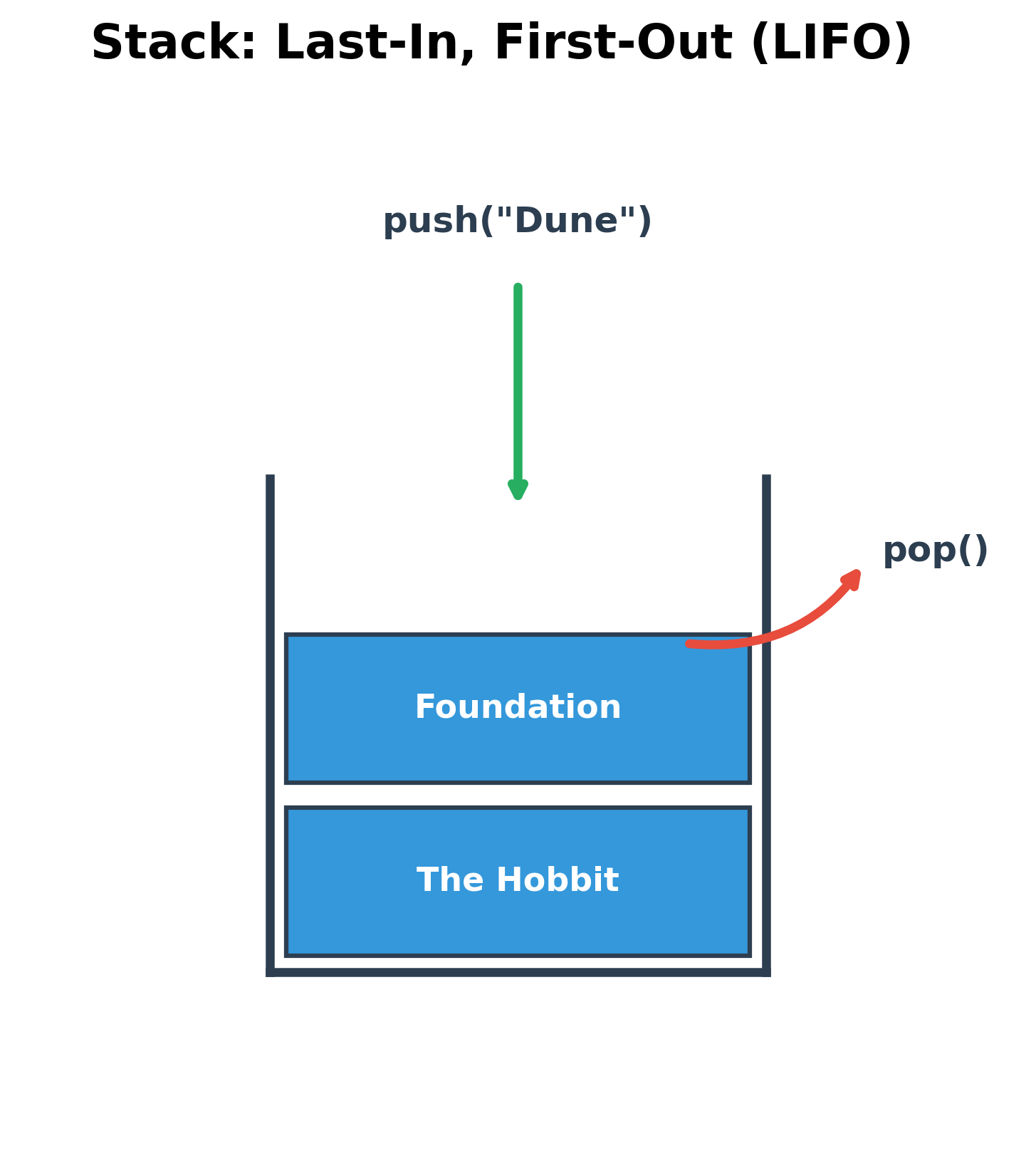
The Stack class in Java is a legacy class and is not recommended for new code. The preferred implementation is to use any class that implements the Deque interface, such as ArrayDeque.
Common Operations
push(E item): Pushes an item onto the top of the stack.pop(): Removes and returns the item at the top of the stack. Throws an exception if the stack is empty.peek(): Returns the item at the top of the stack without removing it.isEmpty(): Checks if the stack is empty.
Example using ArrayDeque as a Stack
import java.util.ArrayDeque;
import java.util.Deque;

public class StackExample {
    public static void main(String[] args) {
        // Use ArrayDeque as a Stack
        Deque<String> bookStack = new ArrayDeque<>();

        // Pushing items onto the stack
        bookStack.push("The Hobbit");
        bookStack.push("Foundation");
        bookStack.push("Dune");

        System.out.println("Stack: " + bookStack);

        // Peeking at the top item
        System.out.println("Top item is: " + bookStack.peek()); // Dune

        // Popping items from the stack
        System.out.println("Popped: " + bookStack.pop()); // Dune
        System.out.println("Popped: " + bookStack.pop()); // Foundation

        System.out.println("Stack after pops: " + bookStack);
    }
}
Queue
A Queue is a First-In, First-Out (FIFO) data structure. It works like a checkout line at a store: the first person to get in line is the first person to be served.
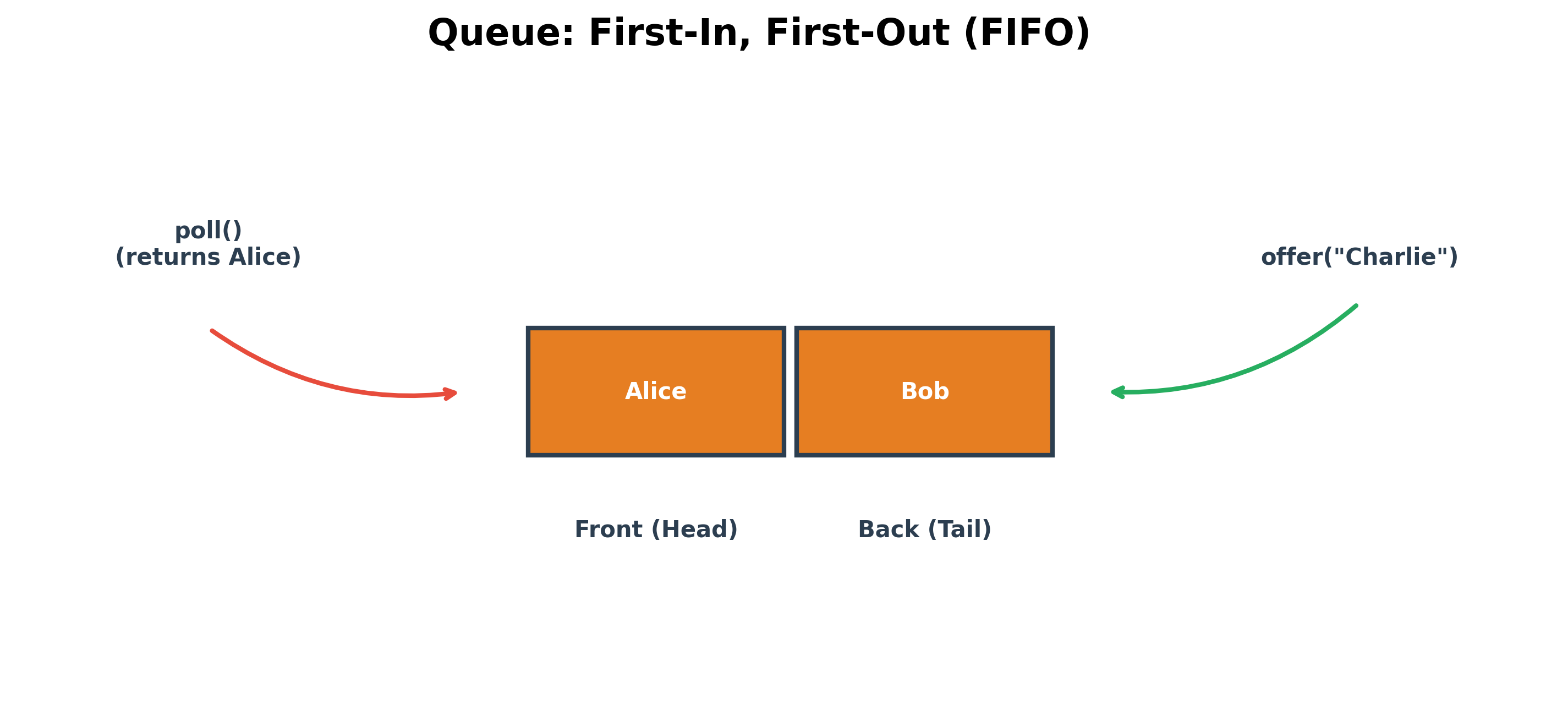
The Queue interface is typically implemented by classes like LinkedList or ArrayDeque.
Common Operations
add(E item)oroffer(E item): Adds an item to the end of the queue.offer()is generally preferred as it returnsfalseif the queue is full, whereasadd()throws an exception.remove()orpoll(): Removes and returns the item at the head of the queue.poll()is preferred as it returnsnullif the queue is empty, whileremove()throws an exception.element()orpeek(): Returns the item at the head of the queue without removing it.peek()is preferred as it returnsnullif the queue is empty.
Example using LinkedList as a Queue
import java.util.LinkedList;
import java.util.Queue;

public class QueueExample {
    public static void main(String[] args) {
        Queue<String> customerLine = new LinkedList<>();

        // Adding customers to the line
        customerLine.offer("Alice");
        customerLine.offer("Bob");
        customerLine.offer("Charlie");

        System.out.println("Queue: " + customerLine);

        // Serving the customer at the front
        System.out.println("Now serving: " + customerLine.poll()); // Alice

        // Checking who is next
        System.out.println("Next in line: " + customerLine.peek()); // Bob

        System.out.println("Queue after serving one customer: " + customerLine);
    }
}
PriorityQueue
A PriorityQueue is a special type of queue where elements are ordered based on their natural ordering or by a Comparator provided at construction time. The element with the highest priority (often the smallest value) is always at the head of the queue.
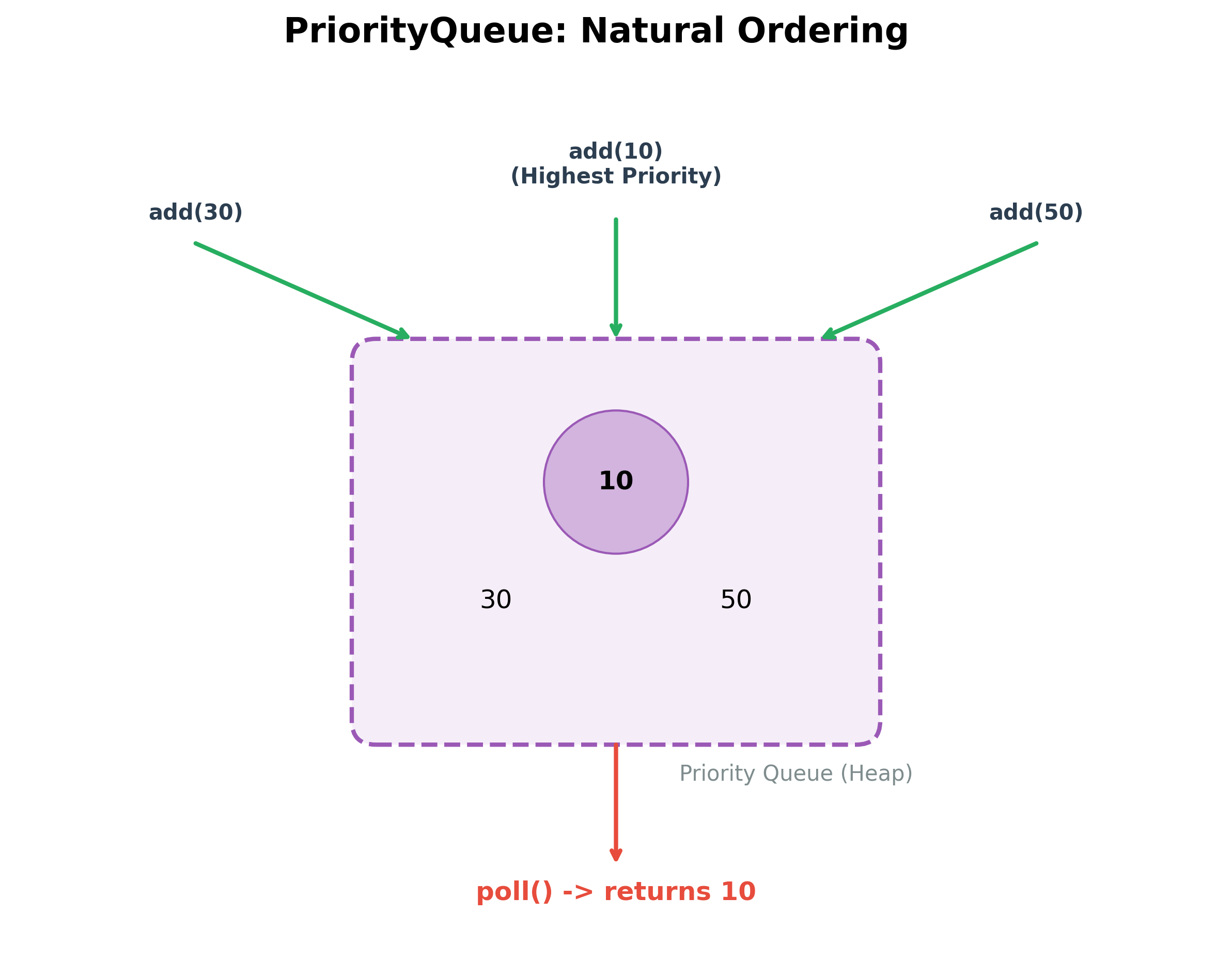
It is useful for tasks like scheduling or finding the k-th largest element in a collection.
Key Characteristics
- The head of the queue is the element with the highest priority.
- It does not permit
nullelements. - It is an unbounded queue but has an internal capacity that grows as necessary.
Example
By default, PriorityQueue orders elements in their natural ascending order (e.g., smallest numbers first).
import java.util.PriorityQueue;

public class PriorityQueueExample {
    public static void main(String[] args) {
        // A priority queue of integers (natural order)
        PriorityQueue<Integer> taskPriorities = new PriorityQueue<>();

        // Adding tasks with different priorities
        taskPriorities.add(30); // Medium priority
        taskPriorities.add(10); // High priority
        taskPriorities.add(50); // Low priority

        System.out.println("PriorityQueue: " + taskPriorities);

        // Processing tasks based on priority
        // The element with the smallest value has the highest priority
        System.out.println("Processing task with priority: " + taskPriorities.poll()); // 10
        System.out.println("Processing task with priority: " + taskPriorities.poll()); // 30

        System.out.println("Remaining tasks: " + taskPriorities);
    }
}